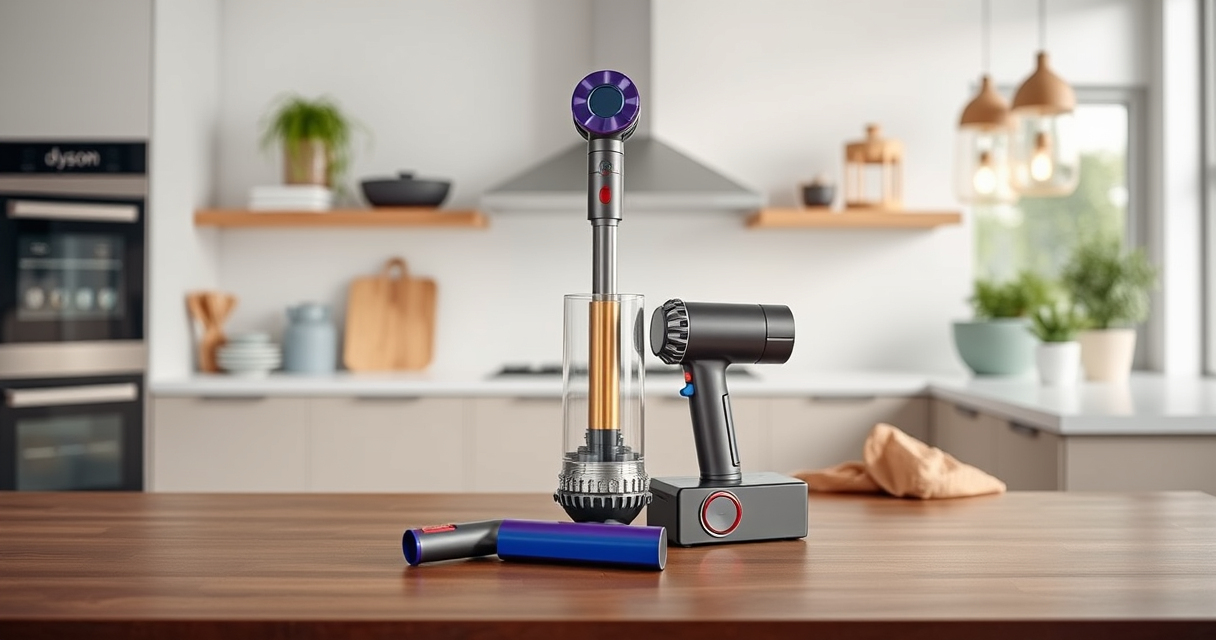

If your Dyson cordless vacuum isn’t providing suction, it can be frustrating. Common issues often stem from blockages, dirty filters, or battery problems. This guide offers practical, safe steps to identify and fix the problem, so you can get your vacuum back to optimal performance.
Follow these instructions carefully, and always prioritize safety when working with electrical appliances.
Key Takeaways
| Check for blockages | Blockages in the wand or cleaner head can restrict airflow. |
| Inspect filters | Clogged or dirty filters reduce suction power. |
| Examine the bin | Overfilled bin or debris compaction hampers airflow. |
| Battery health | A worn-out battery may affect suction efficiency. |
| Proper assembly | Ensure all parts are correctly assembled and clicked into place. |

Dyson V15 Detect™ Origin Cordless Vacuum
Powerful and intelligent for whole-home deep cleaning. Reveals invisible dust.
As an affiliate, we earn on qualifying purchases.
Step 1: Power Off and Unplug
- Turn off your Dyson vacuum and remove it from charging or power source.
- Ensure the vacuum is completely powered down before starting maintenance.

LANMU Crevice Tool Vacuum Attachments Compatible with Dyson V15 V12 V11 V10 V9 V8 V7 Gen5 Outsize Vacuum Cleaner, Narrow Nozzel Replacement Parts for Hard-to-Reach Space
Wide Compatibility: This crevice tool attachment is compatible with V15 V12 V11 V10 V9 V8 V7 Gen5 G5...
As an affiliate, we earn on qualifying purchases.
Step 2: Check for Blockages
- Detach the wand and cleaner head from the main body.
- Inspect the wand, brush bar, and cleaner head for obstructions or debris.
- Clear any blockages carefully using your fingers or a long, flexible brush.
Step 3: Clean or Replace Filters
- Remove the pre-filters and main filters as per your model’s manual.
- Rinse the filters with cold water, wring out excess water, and let them air dry for at least 24 hours before reinstalling.
- If filters are damaged or excessively dirty, replace them with compatible filters.
Step 4: Empty the Dust Bin
- Remove the dust bin from the vacuum.
- Empty the bin and clean it with a damp cloth if necessary.
- Ensure the bin is securely reattached and clicked into place.
Step 5: Check Battery and Reassemble
- Ensure the battery is properly connected and charged.
- Reassemble all parts, making sure they are securely clicked into position.
- Turn on the vacuum to test for suction.
The Products in This Guide

Dyson V15 Detect™ Origin Cordless Vacuum
- ✔ Run Time: 60 min
- ✔ Filtration: HEPA
- ✔ Charging Time: 3.5 hours

LANMU Crevice Tool Vacuum Attachments Compatible
- ✔ Nozzle Width: 1 inch
- ✔ Flexibility: High
- ✔ Ease of Use: Simple clip-on
Dyson V15 Detect™ Origin Cordless Vacuum
The Dyson V15 Detect™ Origin Cordless Vacuum offers powerful, intelligent cleaning with features like real-time particle detection, a high-capacity battery, and versatile attachments. It’s designed to handle various floor types and pet hair effectively.
Pros:
- Powerful suction with 100% more power
- Intelligent debris detection
- Long-lasting 60-minute runtime
- Includes advanced cleaner heads
Cons:
- Premium price point
- Requires regular filter maintenance
- Heavier than some handhelds
Best for: Whole-home deep cleaning, pet hair removal, hard-to-reach spots
Not ideal for: Light, quick cleanups or small apartments
Bottom line: A top-tier cordless vacuum that combines power, intelligence, and versatility.
LANMU Crevice Tool Vacuum Attachments Compatible
This LANMU crevice tool attachment fits Dyson V15 and other models, helping you reach tight corners, car interiors, and furniture gaps. Its slender design makes cleaning those tricky spots much easier.
Pros:
- Narrow, flexible nozzle
- Compatible with multiple Dyson models
- Easy to attach and remove
- Great for car and home cleaning
Cons:
- May be too slim for larger debris
- Requires proper attachment for secure fit
Best for: Cleaning edges, tight corners, car interiors
Not ideal for: Heavy or bulky debris removal
Bottom line: A practical attachment that enhances your Dyson’s reach and cleaning precision.
Frequently Asked Questions
Why is my Dyson vacuum losing suction?
Common causes include clogged filters, blockages in the wand or cleaner head, overfilled dust bins, or battery issues. Following the troubleshooting steps can help resolve these problems.
How often should I replace the filters?
Filters should be rinsed and dried every 1-3 months, and replaced if damaged or excessively dirty. Regular maintenance ensures optimal suction.
Can I clean the filters with soap?
It’s best to rinse filters with cold water only. Avoid using soap or detergents, as they can damage the filter material.
What should I do if the vacuum still has no suction after troubleshooting?
Check for motor or battery issues, or contact Dyson customer support for further assistance if basic troubleshooting doesn’t work.
Getting Your Dyson Vacuum Back in Action
With these simple troubleshooting steps, you can often restore your Dyson cordless vacuum’s suction power. Regular maintenance, including cleaning filters and clearing blockages, helps ensure peak performance. If problems persist, consider professional service or contacting Dyson support for expert help. A well-maintained Dyson will continue providing powerful, efficient cleaning for years to come.
Affiliate disclosure: As an Amazon Associate we earn from qualifying purchases. Prices and availability are accurate as of the time of publishing.