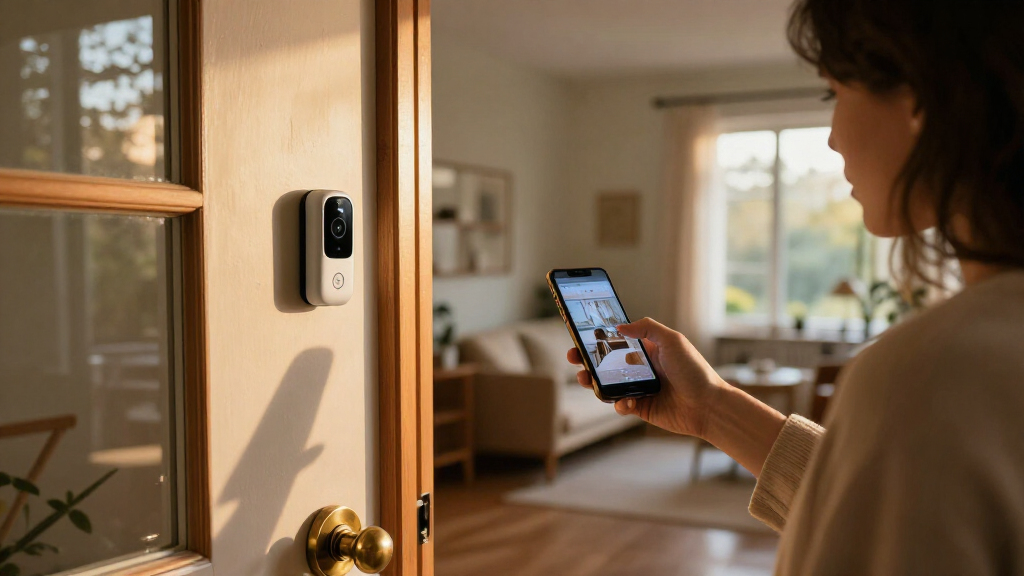
When comparing smart home security systems, the real choice is often not between two brands but between managing alerts yourself and paying a monitoring provider to respond. DIY systems typically let you install equipment, receive app notifications, and decide what to do when an alarm sounds. Professionally monitored systems add a service that can review alarm signals and follow its response procedures, which may include contacting you or emergency services.

Get home appliances delivered free with Prime
- Fast, free delivery on millions of items
- Prime Video, Amazon Music and more included
- Member-only deals all year

Ring Alarm 14-Piece Home Security Kit
- ✔ Kit contents: Base station, 2 keypads, 8 contact sensors, 2 motion detectors, range extender
- ✔ Recommended home size: 2–4 bedrooms
- ✔ Connectivity: Ethernet, WiFi, Z-Wave, Bluetooth for setup

Ring Alarm 8-Piece Home Security System Kit
- ✔ Kit contents: Base station, keypad, 4 contact sensors, motion detector, range extender
- ✔ Recommended home size: 1–2 bedrooms
- ✔ Connectivity: Ethernet, WiFi, Z-Wave, Bluetooth for setup

DEEPVIGLX 22-Piece Wireless Home Security Alarm System with WiFi and GSM
- ✔ Kit size and components: 22 pieces; panel, 3 motion sensors, 10 contact sensors, remotes, RFID tags, siren, SOS button
- ✔ Display: 2.4-inch TFT touchscreen
- ✔ WiFi: 2.4 GHz; 5 GHz incompatible
That difference affects more than convenience: it shapes ongoing costs, who acts when you miss an alert, how much setup you handle, and how the system fits into a wider smart home. DIY is usually the better starting point for people comfortable managing their phones and equipment. Professional monitoring is the stronger fit for households that want a response layer when nobody is available to check an alert. The sections below compare both approaches across the criteria that most change the decision.
At a Glance
| Criteria | DIY smart home security | Professionally monitored smart home security | Winner |
|---|---|---|---|
| Ongoing cost | Often lower recurring cost; core app alerts and features may be available without a monitoring plan, depending on the provider. | Usually adds a recurring monitoring charge; equipment, plan features, and contract terms vary. | A |
| Response to alarms | The homeowner receives notifications and decides whether to investigate or call for help. | A monitoring center handles alarm signals under the provider’s procedures and may contact the household or emergency services. | B |
| Installation and maintenance | Usually self-installed and maintained; setup can be straightforward, but the owner must place, test, and troubleshoot devices. | May offer professional installation, though some monitored systems are self-installed; the provider may assist with setup and service. | A |
| Control and flexibility | High day-to-day control through the app; the owner manages alerts, contacts, and system settings. | App control remains available, but response procedures and some features can depend on the provider and subscription. | A |
| Smart home integration | Can fit well with smart-home devices, though available integrations vary by brand and plan. | Smart-home options vary; security and monitoring may be the priority, with integration depending on the system. | Depends |
| Reliability and connectivity | Alerts depend on working sensors, internet or cellular connections, power, and a reachable phone; backup features vary. | Some plans offer cellular or battery backup, but protections and outage behavior differ by provider and equipment. | Depends |
| Best fit for household needs | People who want lower recurring costs and are comfortable managing alerts themselves. | People who value an added response service, help with setup, or coverage when they cannot respond to alerts. | Depends |
Ring Alarm 14-Piece Home Security Kit
For a home with several entry points, the Ring Alarm 14-Piece Kit gives us the most balanced starting setup in this comparison. Its eight contact sensors and two motion detectors can cover more doors, windows, and interior areas than the smaller Ring kit, and the two included keypads make access more convenient when the household has more than one common entry or exit point. That is a meaningful practical upgrade, not just a bigger box of components.It keeps the same central Ring approach as the 8-Piece model: arm or disarm by keypad or app, receive mobile alerts, and connect through Ethernet, WiFi, Z-Wave, and Bluetooth for setup. The base station’s rechargeable battery backup is specified for 24 hours, which can help maintain operation through a temporary power interruption. Compared with DEEPVIGLX, Ring’s appeal is a more familiar kit structure and clearer separation between included equipment and subscription-dependent functions, rather than a long list of different alert types.The tradeoff is that this amount of coverage will be unnecessary for many smaller homes, and professional monitoring and cellular backup require a compatible subscription. More sensors can also mean more placement decisions, while added accessories are sold separately. We would choose it over the 8-Piece kit when the extra doors, rooms, or keypad location justify the additional hardware—not simply because a larger piece count sounds reassuring.
Pros:
- Eight contact sensors and two motion detectors support broader included coverage.
- Two keypads offer more flexibility than the single keypad in the 8-Piece kit.
- App alerts and keypad controls provide both remote and on-site operation.
- Base station includes a rechargeable battery backup specified for 24 hours.
Cons:
- Professional monitoring and cellular backup require a compatible subscription.
- Additional sensors and accessories are sold separately, and the larger kit may exceed a small home’s needs.
Best for: Households in two- to four-bedroom homes that want more included entry sensors, two motion detectors, and two convenient keypad locations.
Not ideal for: People in a small apartment or compact home who do not need the additional sensors, or buyers who require cellular backup and monitoring without a subscription.
Bottom line: We rank this first because it pairs the broadest clearly specified Ring coverage with two keypads, while retaining the same practical controls as the smaller kit.
“We rank this first because it pairs the broadest clearly specified Ring coverage with two keypads, while retaining the same practical controls as the smaller kit.”
Ring Alarm 8-Piece Home Security System Kit
The Ring Alarm 8-Piece Kit is the more sensible Ring choice when a home has fewer doors and a smaller footprint. It includes four contact sensors, one motion detector, a keypad, a base station, and a range extender—enough to make a starter configuration without paying in complexity for the additional coverage offered by the 14-Piece Kit. For a one- or two-bedroom home, that tighter bundle can be easier to place and manage.Its core control experience is similar to the larger Ring system: use the keypad or Ring app to arm and disarm, receive mobile alerts, and connect compatible devices. It also has a 24-hour rechargeable base-station battery backup and supports Ethernet, WiFi, Z-Wave, and Bluetooth for setup. Compared with DEEPVIGLX, the 8-Piece kit is less expansive in its stated alert methods and included controls, but it may be the more straightforward option for buyers who want a compact Ring setup rather than touchscreen, RFID, and SMS functions.Its limits become clear as coverage needs grow. There is only one keypad, four contact sensors, and one motion detector in the box, so a home with many ground-floor windows or multiple access routes may outgrow the included hardware. As with the larger Ring kit, monitoring, cellular backup, and Alexa voice control have subscription requirements, and extras are separate. We would choose this over the 14-Piece model when the smaller footprint genuinely needs fewer sensors, not as a way to avoid thinking through coverage.
Pros:
- A compact starter bundle includes four contact sensors and a motion detector.
- Supports both keypad operation and Ring app controls with mobile alerts.
- Base station has a rechargeable battery backup specified for 24 hours.
- Works with compatible smart locks and other devices.
Cons:
- One keypad and five total listed sensors may be limiting in a larger or more complex home.
- Professional monitoring, cellular backup, and Alexa voice control require a compatible subscription.
- Additional sensors and accessories are sold separately.
Best for: Residents of one- or two-bedroom homes who want app and keypad control with a modest set of entry and motion sensors.
Not ideal for: Larger households needing several keypad locations or broader included sensor coverage, and buyers seeking subscription-free cellular backup or professional monitoring.
Bottom line: We recommend this over the 14-Piece model when a smaller home needs the Ring basics but not the larger kit’s extra sensor and keypad coverage.
“We recommend this over the 14-Piece model when a smaller home needs the Ring basics but not the larger kit’s extra sensor and keypad coverage.”
DEEPVIGLX 22-Piece Wireless Home Security Alarm System with WiFi and GSM
The DEEPVIGLX 22-Piece System takes a different route from the two Ring kits. Its package lists ten door/window contact sensors, three motion sensors, remote controls, RFID tags, a touchscreen panel, a siren, and an SOS button. That breadth gives buyers more included ways to interact with the system and more sensors to distribute than either Ring bundle. It also states support for up to 100 wireless zones, so it may appeal to someone who values expansion potential and a dedicated wall-mounted control panel.Its alert and control list is unusually varied in this lineup: app push notifications, SMS, voice alarms, and an audible siren are listed, while controls include the app, touchscreen, remotes, and voice assistants. Alexa and Google Assistant compatibility may be useful for households already using those platforms. Compared with Ring, DEEPVIGLX emphasizes multiple local and remote interaction methods; Ring’s kits, by contrast, provide a clearer size-based choice and specify a 24-hour backup for their base stations.We would be cautious about treating every connectivity claim as settled. The supplied specifications call out 2.4 GHz WiFi, not 5 GHz, and 2G cellular, while the description also mentions 4G voice alarms. Buyers should confirm cellular support, service availability, and the precise meaning of that 4G reference before relying on cellular alerts. Its stated 50-foot maximum range also makes placement worth checking. Compared with the Ring kits, this one offers more listed hardware and alert variety, but its network and compatibility details need more scrutiny.
Pros:
- Includes ten contact sensors, three motion sensors, remotes, RFID tags, and an SOS button.
- Lists app, SMS, voice, and siren alerts, plus touchscreen and remote controls.
- States compatibility with Alexa and Google Assistant.
- Claims expansion support for up to 100 wireless zones.
Cons:
- WiFi support is limited to 2.4 GHz; 5 GHz is not supported.
- Cellular details are unclear because 2G is specified while the description also mentions 4G voice alarms.
- The stated maximum wireless range is 50 feet, so sensor placement may constrain coverage.
Best for: Buyers who want a broad sensor bundle, a touchscreen control panel, several alert methods, and stated compatibility with Alexa and Google Assistant.
Not ideal for: Anyone who needs confirmed current cellular-network support, uses only 5 GHz WiFi, or prefers a system with clearly specified service and backup terms.
Bottom line: We consider it the most feature-varied bundle on paper, but rank it behind Ring because its cellular and connectivity details require verification.
“We consider it the most feature-varied bundle on paper, but rank it behind Ring because its cellular and connectivity details require verification.”
As an Amazon Associate we earn from qualifying purchases.
Key Differences
The clearest difference is who takes the next step after an alarm. With DIY security, the app informs you; you or someone you designate must act. That can be a sensible arrangement for a household where a person is usually reachable and wants to avoid a recurring service charge. It is less reassuring if alerts might go unnoticed during work, sleep, travel, or a phone outage. Professional monitoring adds an outside response process, but it is not a guarantee that every incident will be prevented or handled in a particular way: the provider’s procedures, local emergency response, and the system’s connection all matter.
Cost and responsibility move together. DIY tends to be less expensive over time, but the owner takes on installation, testing, device upkeep, and decisions about alerts. A monitored service costs more, and the premium is worthwhile only if its response layer or installation support solves a real need. Neither category is automatically more reliable or smarter. Backup power, cellular connectivity, sensor quality, app features, integrations, and plan restrictions vary by product, so compare the specific system and subscription rather than relying on the category label.
For most households comfortable managing an app, DIY is the better value and a strong default. Choose professional monitoring when another party’s defined response process matters more than minimizing monthly expense—especially if the home is often empty or nobody can reliably act on notifications. If you want monitoring, check its actual operating hours, escalation steps, backup options, contract terms, and what happens when internet or power fails before paying extra.
Detailed Comparison
Ongoing cost (DIY smart home security wins — major)
DIY generally wins on recurring cost because the homeowner can often use app alerts without paying for a staffed monitoring service. Professional monitoring adds a subscription, and the total may also include equipment, installation, or plan-specific fees. The gap is moderate to major over several years, depending on the provider. Pay the extra amount only if monitoring or its included support is something the household will use; otherwise, DIY usually delivers better value.
Response to alarms (Professionally monitored smart home security wins — major)
Professionally monitored systems win by assigning alarm handling to a provider’s monitoring center. DIY alerts leave the decision and follow-through with the owner or chosen contacts. This is a major difference when everyone is away, asleep, or unable to check a phone. Monitoring does not remove every delay or guarantee a particular outcome, so read the response policy; still, it offers a layer of response DIY does not provide by itself.
Installation and maintenance (DIY smart home security wins — moderate)
DIY wins for people who want to choose sensor placement, install equipment at their own pace, and avoid arranging a technician. That flexibility also means the owner is responsible for testing devices, replacing batteries, and troubleshooting. Some professionally monitored products are still self-installed, while others offer installation assistance or service, so monitoring does not automatically mean a technician visit. The advantage is moderate and depends on the specific package and the homeowner’s comfort with setup.
Control and flexibility (DIY smart home security wins — moderate)
DIY usually gives the homeowner more direct control over settings, alerts, and day-to-day decisions, with fewer response steps defined by a provider. Monitored systems still commonly provide app control, but their value depends partly on following the provider’s procedures and subscription terms. The difference is moderate: DIY suits people who want to manage the system on their own terms, while monitoring suits those happy to delegate alarm handling. Compare available app features before choosing.
Smart home integration (moderate difference)
There is no category-wide winner. A DIY system may be attractive when the homeowner wants to connect security sensors with lights, locks, cameras, or voice assistants, but integrations differ across brands and may require a particular hub or plan. A monitored system may also support smart-home devices, yet monitoring itself does not mean broader compatibility. The gap is minor or moderate for many households; check the exact devices, automations, and subscription requirements you plan to use.
Reliability and connectivity (major difference)
Neither approach wins by default. Both need working equipment and a communication path, while monitored services may include cellular or battery backup on some plans. DIY products can offer backup too, but support varies just as widely. The practical difference is the system’s behavior during power, internet, or cellular outages, not whether it is labeled DIY or monitored. Review backup duration, connection requirements, outage notifications, and what the system can still do when a link fails.
Fit for household needs (major difference)
This depends on whether the household can and wants to respond to its own alerts. DIY is a strong fit for owners who are reachable, comfortable with app notifications, and willing to maintain their equipment. Professional monitoring better fits homes that are frequently unattended or where an outside response process reduces a meaningful concern. The difference is major for those who need delegated response and minor for households that will reliably manage every notification themselves.
DIY smart home security: Pros and Cons
Pros:
- Usually costs less over time when a paid monitoring plan is not required.
- Lets the owner manage alerts, settings, and device placement directly.
- Can be installed and expanded at the owner’s pace.
- May work well with other smart-home devices, depending on brand compatibility.
Cons:
- The owner or chosen contacts must respond to alerts.
- Installation, testing, battery replacement, and troubleshooting fall to the homeowner.
- An alert is less useful if nobody can see or act on it promptly.
- Backup and advanced features may require extra equipment or a subscription.
Professionally monitored smart home security: Pros and Cons
Pros:
- Adds a monitoring center that handles alarm signals under a defined provider process.
- Can help when household members are away or unable to check notifications.
- Some packages include installation support or connectivity and power backups.
- May suit households that prefer a service relationship over managing every alarm themselves.
Cons:
- Ongoing monitoring fees make it more expensive than a basic self-managed setup.
- Response steps, hours, features, and contract terms vary by provider.
- Monitoring cannot guarantee prevention, connectivity, or a specific emergency-service outcome.
- Smart-home integration may be limited or tied to a particular package.
Who Should Choose What
Choose DIY smart home security if:
- You want to keep recurring costs down and can reliably check app alerts.
- You are comfortable installing sensors, testing the system, and handling routine maintenance.
- You want more direct control over settings and how your smart-home devices work together.
- You have trusted household members or neighbors who can act as backup contacts.
Choose Professionally monitored smart home security if:
- You want a monitoring center to handle alarm signals when you cannot respond.
- The home is often empty, or household members may not have their phones available.
- You value installation assistance or a service provider’s setup and response procedures.
- The specific plan offers backup connectivity or power features you need and its terms are acceptable.
Skip both if: Neither approach fits if you cannot maintain the equipment or pay the plan fees, and the system’s connectivity, coverage, or response limits do not meet your needs. Resolve those constraints before relying on either setup.
Value for Money
DIY is usually the better value for a household that can monitor its own notifications: it avoids paying month after month for a response service that may not be needed. The lower cost does come with real work. The owner must keep equipment functional and decide what to do when an alarm appears, so saving money is worthwhile only if someone will take that responsibility seriously.
Paying more for professional monitoring is justified when delegated alarm handling provides meaningful peace of mind or fills a practical gap, such as frequent travel or limited availability to check alerts. Compare the full subscription cost, contract and cancellation rules, included features, and backup provisions. If the plan’s main benefit is a service you do not need—or its response process is unclear—the premium is poor value. There is no reason to pay more simply because a system is professionally monitored.
Final Verdict
For most people who are comfortable managing app alerts, choose DIY smart home security. It offers greater direct control and usually avoids a recurring monitoring charge, making it the stronger value when the household can handle notifications and maintenance. Choose a professionally monitored system instead when you specifically want a provider to handle alarm signals while you are unavailable, and confirm that its procedures and backup features match your expectations.
The deciding factor is not the number of devices or the label on the box; it is who will act when an alarm occurs. If the answer is reliably you or a trusted contact, DIY is the sensible default. If no one can reliably respond, a well-matched monitoring plan is worth the added cost. Compare individual products for connectivity, smart-home compatibility, and contract terms before committing, since those details vary more than the category names suggest.
Frequently Asked Questions
Is a professionally monitored system safer than a DIY system?
Professional monitoring adds a provider response process, but it does not guarantee that a break-in will be prevented or that emergency services will arrive within a particular time. DIY can still provide useful alerts if someone sees and acts on them. The better fit depends on who can respond, the system’s connectivity and backup features, and the provider’s actual procedures.
Can I use a DIY system without a monthly subscription?
Some systems offer basic local control or app alerts without a monitoring subscription, while other features—such as video storage, advanced notifications, or cellular backup—may require a paid plan. Check the exact product’s plan details before buying; free access to one feature does not mean every function is included.
Does professional monitoring always include installation?
No. Some monitored systems are self-installed, while other packages provide technician installation or setup assistance. Ask whether installation is included, whether it costs extra, and who handles ongoing equipment support.
What should I check before choosing a monitoring plan?
Review the plan’s response steps, monitoring availability, contact preferences, subscription and cancellation terms, and any charges beyond the monthly fee. Check how the equipment communicates during internet or power outages, whether cellular backup is included, and which smart-home features depend on the plan.