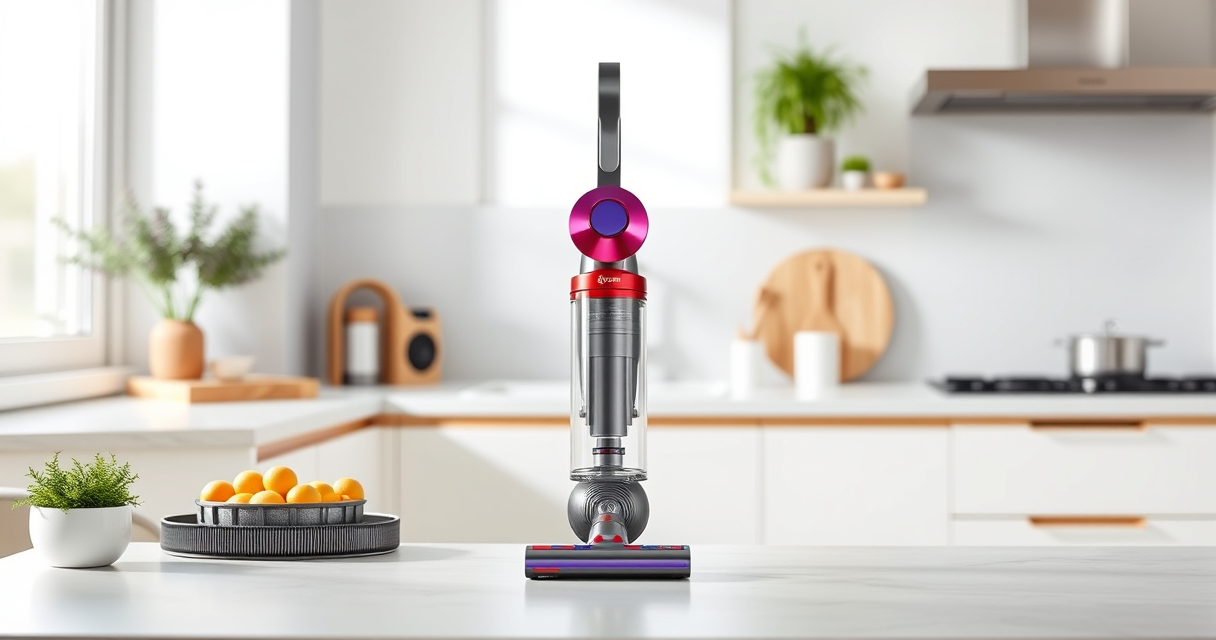

Keeping your Dyson V15 Detect™ Origin Cordless Vacuum in top condition is essential for maintaining its powerful cleaning performance. Regular maintenance not only extends the lifespan of your vacuum but also ensures it operates at peak efficiency, saving you time and effort during cleaning sessions.

Get home appliances delivered free with Prime
- Fast, free delivery on millions of items
- Prime Video, Amazon Music and more included
- Member-only deals all year
In this comprehensive guide, we’ll walk you through practical, safe, and effective maintenance steps, troubleshooting common issues, and tips to keep your Dyson vacuum running smoothly. Whether you’re a new user or a seasoned owner, these tips will help you get the most out of your device.
Key Takeaways
| Regular filter cleaning boosts suction | Clean filters every 2-3 months to maintain high performance. |
| Brush and cleaner head upkeep | Remove hair and debris from the cleaner heads regularly. |
| Battery health matters | Ensure the battery is charged properly and avoid excessive discharging. |
| Check for blockages | Inspect the wand and hose for obstructions that reduce suction. |
| Keep sensors and LCD updated | Monitor alerts and update firmware if needed for optimal operation. |
Preparing for Maintenance
Before starting any maintenance task, ensure your Dyson V15 Detect™ is turned off and disconnected from charging. Gather necessary tools such as a soft cloth, mild detergent, and replacement filters or attachments if needed. It’s important to work in a clean, well-lit area to avoid losing small parts or causing damage.
Review your user manual for model-specific instructions and ensure you understand the location of filters, brushes, and other components that require regular care.
Cleaning and Replacing Filters
- Remove the pre-filter by twisting it counterclockwise from the cyclone unit. Rinse it thoroughly with water, avoiding soap or harsh detergents. Allow it to air dry completely, ideally 24 hours, before reinstalling.
- If your filter is worn or damaged, replace it with a compatible 3-pack pre-filter set (ASIN: B091D4YRYG) for best results.
- Check the LCD screen for maintenance alerts related to filters and replace or clean as indicated.
- For the V10 models, use the dedicated V10 replacement filters to maintain peak filtration and suction.
Regular filter maintenance ensures your vacuum maintains high suction power and effectively traps dust and allergens.
Maintaining the Cleaner Heads and Attachments
Over time, hair, dust, and debris can accumulate in the brush bars and nozzles, reducing cleaning efficiency. To clean:
- Detach the cleaner head from the wand or handheld unit.
- Use scissors or a small tool to carefully cut away tangled hair or fibers from the brush bar.
- Remove any debris or dust from the nozzle and surrounding areas.
- For hard-to-reach spots, use a crevice tool attachment (such as ASIN B099RHWXJK) to dislodge dirt and dust from corners and edges.
Regularly inspecting and cleaning your cleaner heads ensures optimal dirt pickup and reduces strain on the motor.
Inspecting and Clearing Blockages
Blockages in the wand, hose, or cleaner head can drastically reduce suction power. To troubleshoot:
- Disconnect the wand and hose from the main body.
- Visually inspect for visible obstructions or debris.
- Gently remove any blockages using your fingers or a long, flexible tool.
- Check the nozzle and brush bar for tangled hair or debris, removing carefully.
- Reassemble and test the vacuum to see if suction improves.
Regularly inspecting for blockages prevents motor strain and maintains cleaning performance.
Troubleshooting Common Performance Issues
If your Dyson V15 Detect™ isn’t performing optimally, consider these troubleshooting steps:
- Reduced suction: Clean or replace filters, check for blockages, and ensure the cleaner head is free of debris.
- Battery not holding charge: Ensure the battery is properly connected and charged. Avoid leaving the vacuum on charge for extended periods.
- LCD alerts: Follow the prompts displayed, such as cleaning filters or replacing parts.
- Unusual noises: Inspect for tangled hair or debris in the brushes or motor area.
If problems persist, contact Dyson customer service for professional assistance.
The Products in This Guide
Dyson V15 Detect™ Origin Cordless Vacuum

The Dyson V15 Detect™ Origin Cordless Vacuum combines power, intelligence, and user-friendly features. Regular maintenance keeps it performing at its best, ensuring deep and efficient cleaning across your entire home.
Pros:
- Powerful suction with intelligent adaptation
- Long battery life of 60 minutes
- LCD screen displays real-time data
- Versatile with multiple heads and attachments
Cons:
- Requires regular filter cleaning
- Potentially complex for first-time users
- Filters and parts need periodic replacement
Best for: Homeowners seeking a high-performance, easy-to-maintain cordless vacuum
Not ideal for: Users looking for a budget-friendly or very lightweight option
Bottom line: Routine maintenance is essential to keep your Dyson V15 performing at its best.
LANMU Crevice Tool Vacuum Attachments Compatible

This crevice tool attachment is compatible with Dyson models including the V15, offering a slender, flexible nozzle ideal for corners, edges, and tight spaces in your home or car.
Pros:
- Narrow, flexible design
- Easily navigates small spaces
- Durable construction
- Compatible with multiple Dyson models
Cons:
- May require additional attachments for larger debris
- Not suitable for heavy-duty cleaning
Best for: Cleaning hard-to-reach areas and detailed corners
Not ideal for: Heavy debris removal or large surface cleaning
Bottom line: A versatile tool to enhance your Dyson cleaning arsenal.
Frequently Asked Questions
How often should I clean or replace the filters on my Dyson V15?
It’s recommended to clean the filters every 2-3 months by rinsing with water and allowing them to fully dry. Replace filters if they become damaged or worn out, typically every 6-12 months depending on usage.
What should I do if my vacuum’s suction is weak?
First, check and clean the filters and filters’ seals. Inspect for blockages in the wand, hose, and cleaner head. Ensure the brushes are free of tangled hair and debris. If the issue persists, replace filters or seek professional service.
Can I use any attachments with my Dyson V15?
Only compatible Dyson attachments and accessories should be used, such as the crevice tool (ASIN B099RHWXJK). Using incompatible parts may damage the vacuum or void the warranty.
How do I troubleshoot LCD alerts on my Dyson?
Refer to your user manual for specific alerts. Common messages include cleaning filters, replacing parts, or checking for blockages. Follow the on-screen instructions or perform routine maintenance to resolve issues.
Is it safe to wash the filters and other components?
Yes, but only wash filters with water and let them dry completely before reinstallation. Avoid using soap or detergents unless specified. Keep electrical components dry to prevent damage.
Keep Your Dyson V15 Peak Performance with Regular Care
Maintaining your Dyson V15 Detect™ Origin Cordless Vacuum is simple when you follow these practical steps. Regular cleaning of filters, brushes, and checking for blockages will ensure your vacuum continues to deliver powerful, efficient cleaning. Remember to replace filters and attachments when needed and troubleshoot issues promptly. Proper maintenance not only extends your vacuum’s lifespan but also preserves its high-performance capabilities, making your cleaning routine easier and more effective.
Affiliate disclosure: As an Amazon Associate we earn from qualifying purchases. Prices and availability are accurate as of the time of publishing.
NFL season / tailgating Picks
team gear
As an affiliate, we earn on qualifying purchases.