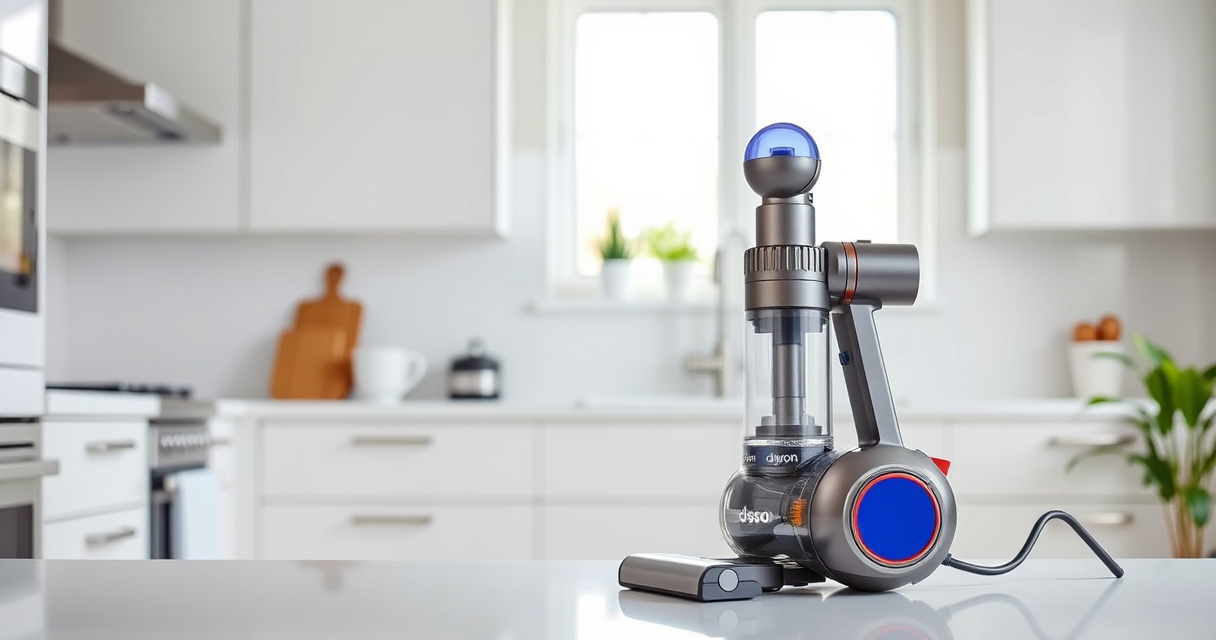
The Dyson V15 Detect™ Origin Cordless Vacuum is a powerful, intelligent cleaning tool designed for deep home cleaning. While it offers impressive features like invisible dust detection, adaptive power, and a LCD screen, regular maintenance and troubleshooting are key to keeping it performing at its best. In this guide, you’ll find step-by-step instructions to troubleshoot common issues, perform routine care, and ensure your vacuum remains in top condition for years to come.
Whether your vacuum isn’t charging properly, losing suction, or showing maintenance alerts, the following practical tips will help you fix these issues safely and effectively, using only the recommended tools and procedures.
Key Takeaways
| Regular Filter Cleaning | Keeps suction strong and maintains efficiency. |
| Check for Blockages | Ensures airflow isn’t obstructed. |
| Battery Care | Maximize run time with proper charging. |
| Routine Maintenance | Prevents common issues and prolongs lifespan. |
| Use Compatible Attachments | Ensures proper fit and function. |

Dyson V15 Detect™ Origin Cordless Vacuum
- Deep cleaning with intelligent detection: Reveals invisible dust for thorough cleaning
- Enhanced power and runtime: 100% more power, 60-minute battery life
- Energy-efficient power trigger: Uses power only when needed
As an affiliate, we earn on qualifying purchases.
1. Diagnosing Power and Charging Issues
- Ensure the vacuum is properly connected to the charger and that the outlet functions correctly. Test with another device if unsure.
- Check the connection port on the vacuum and the charger for debris or damage. Clean gently if needed.
- Allow the vacuum to charge for at least 3.5 hours. If the LCD screen does not display charging progress, try a different outlet or charger.
- If charging still fails, inspect the battery for signs of damage or swelling. Contact Dyson support for replacement options.
2. Clearing Blockages and Improving Suction
- Turn off and unplug the vacuum. Remove the cleaner head and check for debris or hair tangled in the brush bar.
- Inspect the wand and wand connectors for blockages or dust buildup. Use a long, slim tool or crevice attachment to clear obstructions.
- Check the dustbin for full capacity. Empty it regularly to maintain optimal suction.
- Ensure filters are clean and dry, especially if suction drops suddenly. Clean filters according to the maintenance schedule (see section 4).
3. Replacing and Maintaining Filters
The Dyson V15 Detect™ uses advanced filters that require periodic cleaning and replacement to keep the vacuum performing optimally. Follow these steps:
- Remove the pre-filter from the dustbin by twisting it counterclockwise. Rinse with water and let it dry completely for at least 24 hours before reinstalling.
- If the filters are worn or heavily clogged, replace them with compatible filters like the 3Pack Pre Filters Replacement or V10 filters, depending on your model.
- Regularly check the filters every 2-3 months to ensure high performance and suction power.
4. Performing Routine Maintenance
- Clean the cleaner heads, especially the Digital Motorbar, to remove hair and debris that can affect cleaning ability. Use scissors to trim long hair entangled in brushes.
- Inspect and clean the crevice tool and other attachments. Use a damp cloth or rinse if necessary, then dry thoroughly.
- Check the LCD screen for maintenance alerts such as filter replacement or blockages. Follow the prompts for specific actions.
- Store your Dyson in a dry, cool place, and avoid exposure to extreme temperatures, which can affect battery health.
5. Tips and Warnings for Safe Use
- Always turn off and unplug the vacuum before performing any maintenance or cleaning.
- Do not immerse the motor or battery in water. Use a damp cloth for cleaning exterior parts.
- Use only Dyson-approved filters and attachments to avoid damage or voiding your warranty.
- Keep the vacuum out of reach of children and pets when not in use.
- If you notice unusual noises, persistent errors, or battery swelling, contact Dyson support immediately.
The Products in This Guide

Dyson V15 Detect™ Origin Cordless Vacuum
- ✔ Model: V15 Detect™ Origin
- ✔ Battery Life: Up to 60 mins
- ✔ Filter Type: HEPA

LANMU Crevice Tool Vacuum Attachments Compatible
- ✔ Length: 12 inches
- ✔ Compatibility: Multiple Dyson models
- ✔ Material: Plastic
Dyson V15 Detect™ Origin Cordless Vacuum
<p>The Dyson V15 Detect™ Origin Cordless Vacuum is a high-performance cleaning tool with advanced features. Proper troubleshooting and regular care will ensure it continues to deliver powerful, efficient cleaning for years.</p>
Pros:
- Powerful suction with intelligent debris detection
- Long battery life (up to 60 mins)
- LCD screen with real-time updates
- Versatile cleaning heads
Cons:
- Can be heavy during extended use
- Filters require regular cleaning
- Battery replacement may be needed over time
Best for: Homeowners seeking deep, cordless cleaning with smart features
Not ideal for: Users who prefer lightweight or corded vacuums
Bottom line: Routine maintenance and troubleshooting keep your Dyson V15 performing at its peak.
LANMU Crevice Tool Vacuum Attachments Compatible
<p>The LANMU Crevice Tool Vacuum Attachments are compatible with Dyson V15 and other models, making it easier to reach into narrow corners and between furniture. It’s a versatile addition for comprehensive cleaning.</p>
Pros:
- Narrow nozzle for tight spaces
- Compatible with multiple Dyson models
- Easy to attach and use
- Flexible design for hard-to-reach spots
Cons:
- May not fit older Dyson models
- Extra attachment required for full cleaning kit
- Plastic construction can be fragile if handled roughly
Best for: Cleaning corners, edges, and car interiors
Not ideal for: Cleaning large debris or carpets
Bottom line: A handy tool for reaching into tight spots and detailed cleaning.
Frequently Asked Questions
How often should I clean the filters on my Dyson V15?
It’s recommended to clean the filters every 2-3 months to maintain optimal suction and filtration performance.
What should I do if my Dyson V15 is not charging?
First, check the power outlet and charger connection. Clean the charging port gently. If it still doesn’t charge, inspect the battery for damage and contact Dyson support for assistance.
How do I clear a blockage in the vacuum?
Turn off and unplug the vacuum, then remove the cleaner head and wand to inspect for debris or hair. Clear any obstructions carefully using a slim tool or crevice attachment.
Can I wash the filters?
Yes, the filters can be rinsed with water and left to dry completely for at least 24 hours before reinstalling. Do not use detergents or put them in a dishwasher.
What if my vacuum has a persistent error message?
Check the LCD screen for specific alerts and follow the prompts. If issues persist, reset the vacuum or contact Dyson support for further troubleshooting.
Keep Your Dyson V15 Detect™ Performing Its Best
Regular troubleshooting, cleaning, and maintenance are essential for keeping your Dyson V15 Detect™ Origin cordless vacuum performing at its highest level. By following these practical steps, you can prevent common issues and extend the lifespan of your device. Always prioritize safety and use approved parts and attachments to ensure optimal operation and warranty coverage.
Affiliate disclosure: As an Amazon Associate we earn from qualifying purchases. Prices and availability are accurate as of the time of publishing.