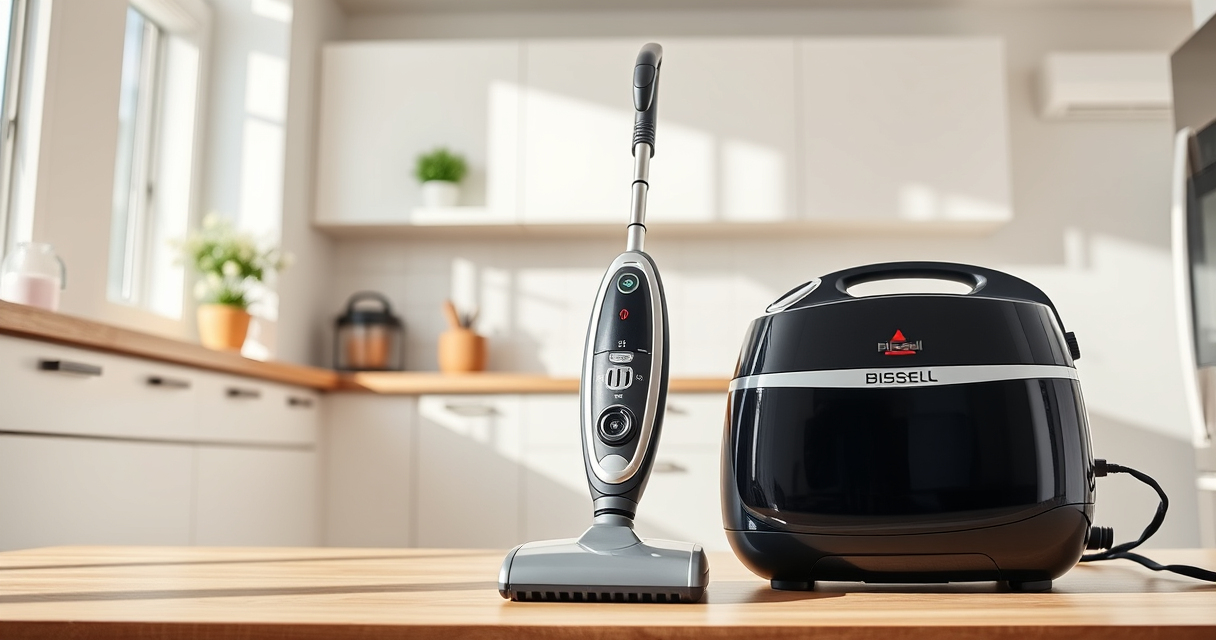
If your Bissell ProHeat 2X Revolution Pet Turbo Upright Carpet Cleaner is leaving water on your carpets after cleaning, it can be frustrating and hinder your cleaning routine. This issue often stems from common problems like clogged hoses, dirty filters, or worn-out parts. Fortunately, many of these issues can be resolved with simple troubleshooting steps that you can perform yourself.

Get home appliances delivered free with Prime
- Fast, free delivery on millions of items
- Prime Video, Amazon Music and more included
- Member-only deals all year
In this guide, we’ll walk you through practical, safe, and effective steps to identify and fix the root cause of water leakage or residual water during your cleaning sessions. Whether you’re a pet owner tackling stubborn stains or just want your carpets to dry faster, these tips will help restore your machine’s performance and keep your home spotless.
Key Takeaways
| Clogged Hoses or Nozzles | Check and clear blockages to prevent water backup. |
| Dirty Filters | Clean or replace filters to improve water flow. |
| Worn or Damaged Seals | Inspect seals and replace if necessary. |
| Incorrect Settings | Ensure you’re using the correct cleaning mode. |
| Maintenance Checks | Regularly inspect and maintain parts for optimal performance. |
Step 1: Unplug and Prepare the Machine
Before starting any troubleshooting, ensure your Bissell carpet cleaner is unplugged from the power outlet. Remove the water tank and any cleaning solutions. Place the machine on a flat surface and clear the area around it for easy access.
Step 2: Check and Clean the Nozzle and Hoses
- Inspect the solution and recovery nozzles for any clogs or debris. Remove any visible obstructions carefully.
- Check the hoses for kinks, blockages, or buildup. Detach hoses if possible and flush them with warm water to clear any obstructions.
- Use a small brush or a pipe cleaner to scrub inside hoses or nozzles if needed.
Step 3: Clean or Replace Filters
The ProHeat 2X Revolution has filters that can become dirty or clogged over time, reducing suction and causing water to leave behind. Remove the filters from their compartments and rinse them thoroughly with warm water. If filters are worn or damaged, consider replacing them with compatible parts like the JORAIR Brush Replacement.
Step 4: Inspect Seals and Gaskets
Worn or damaged seals can lead to leaks and excess water retention. Check around the water tank, nozzle, and hose connections for any cracks or deterioration. Replace any faulty seals with OEM or compatible parts to restore a proper seal.
Step 5: Verify the Cleaning Mode and Water Levels
Ensure you are using the correct cleaning mode — MAX mode for embedded dirt or EXPRESS mode for quicker drying. Also, check that the water tank isn’t overfilled, which can cause spillage or residual water issues. Use the recommended amount of solution, such as Bissell Multi-Surface Solution, to avoid overflows.
Additional Tips and Maintenance Advice
- Regularly clean the brushes and rollers, especially if you notice buildup or reduced performance.
- Use compatible cleaning solutions designed for your machine to prevent clogging and damage.
- Perform routine inspections after each use to identify potential problems early.
Following these steps helps maintain your carpet cleaner in top shape and prevents future water-related issues.
The Products in This Guide

BISSELL ProHeat 2X Revolution Pet Turbo Upright Carpet C
- ✔ Weight: approximately 17.5 pounds
- ✔ Tank Capacity: 1.25 liters
- ✔ Cord Length: 25 feet

JORAIR Brush Replacement Compatible
- ✔ Pack Size: 3 brushes + filters
- ✔ Compatibility: Specific CrossWave models
- ✔ Price: Affordable replacement set
BISSELL ProHeat 2X Revolution Pet Turbo Upright Carpet C
<p>The BISSELL ProHeat 2X Revolution Pet Turbo offers impressive suction power, heatwave technology, and dual dirtilifter powerbrushes, making it effective for pet owners and heavy-duty cleaning. While it may sometimes leave residual water if clogged or improperly maintained, regular upkeep can prevent this issue.</p>
Pros:
- 40% more suction power with TurboStrength motor
- Effective pet stain and allergen removal
- Heats water to maintain optimal temperature
- Quiet operation with noise reduction
Cons:
- Requires routine filter and hose cleaning
- Potential for leaks if seals are damaged
- Can be heavy for some users
Best for: Pet owners and those needing deep, professional-grade cleaning
Not ideal for: Light cleaning tasks or small areas
Bottom line: Regular maintenance and proper use keep your Bissell cleaner functioning flawlessly.
JORAIR Brush Replacement Compatible
<p>Replacing worn brushes can significantly improve your machine’s cleaning performance and prevent water from leaving behind. The JORAIR multi-surface brush roll is compatible with Bissell CrossWave models, providing effective agitation and debris pickup.</p>
Pros:
- Enhances cleaning efficiency
- Easy to install and compatible with multiple models
- Affordable replacement option
- Helps prevent water and debris buildup
Cons:
- Only compatible with specific CrossWave models
- Requires periodic replacement for best results
- Does not include filters
Best for: Maintaining optimal brush performance in your carpet cleaner
Not ideal for: For non-compatible Bissell models
Bottom line: A quick upgrade that keeps your machine performing at its best.
Frequently Asked Questions
Why is my Bissell cleaner leaving water after cleaning?
Common causes include clogged hoses or nozzles, dirty filters, worn seals, or incorrect settings. Following the troubleshooting steps can resolve these issues.
How often should I clean the filters?
It’s best to clean filters after every few uses or when you notice reduced suction. Replace them if they show signs of wear or damage.
Can I use any cleaning solution with my Bissell?
Use only Bissell Multi-Surface Solution or other products recommended by Bissell to prevent damage and ensure optimal cleaning performance.
What should I do if the nozzles are clogged?
Remove the nozzles and flush them with warm water. Use a small brush or pipe cleaner to clear stubborn blockages.
Is it safe to repair seals myself?
Yes, but only if you have the proper replacement parts and tools. If unsure, consult a professional or contact Bissell customer service.
Keep Your Bissell Performing Like New
Maintaining your Bissell ProHeat 2X Revolution Pet Turbo involves regular cleaning of filters, nozzles, and seals, as well as using the right cleaning solutions. By following these troubleshooting steps, you can prevent residual water issues and enjoy efficient, deep cleaning every time. Proper upkeep not only extends your machine’s lifespan but also ensures your carpets stay fresh and dry.
Affiliate disclosure: As an Amazon Associate we earn from qualifying purchases. Prices and availability are accurate as of the time of publishing.
Fall yard work Picks
leaf blowers
As an affiliate, we earn on qualifying purchases.